No transaction capability
Users could read balance data, but could not transfer, pay, or complete financial actions.
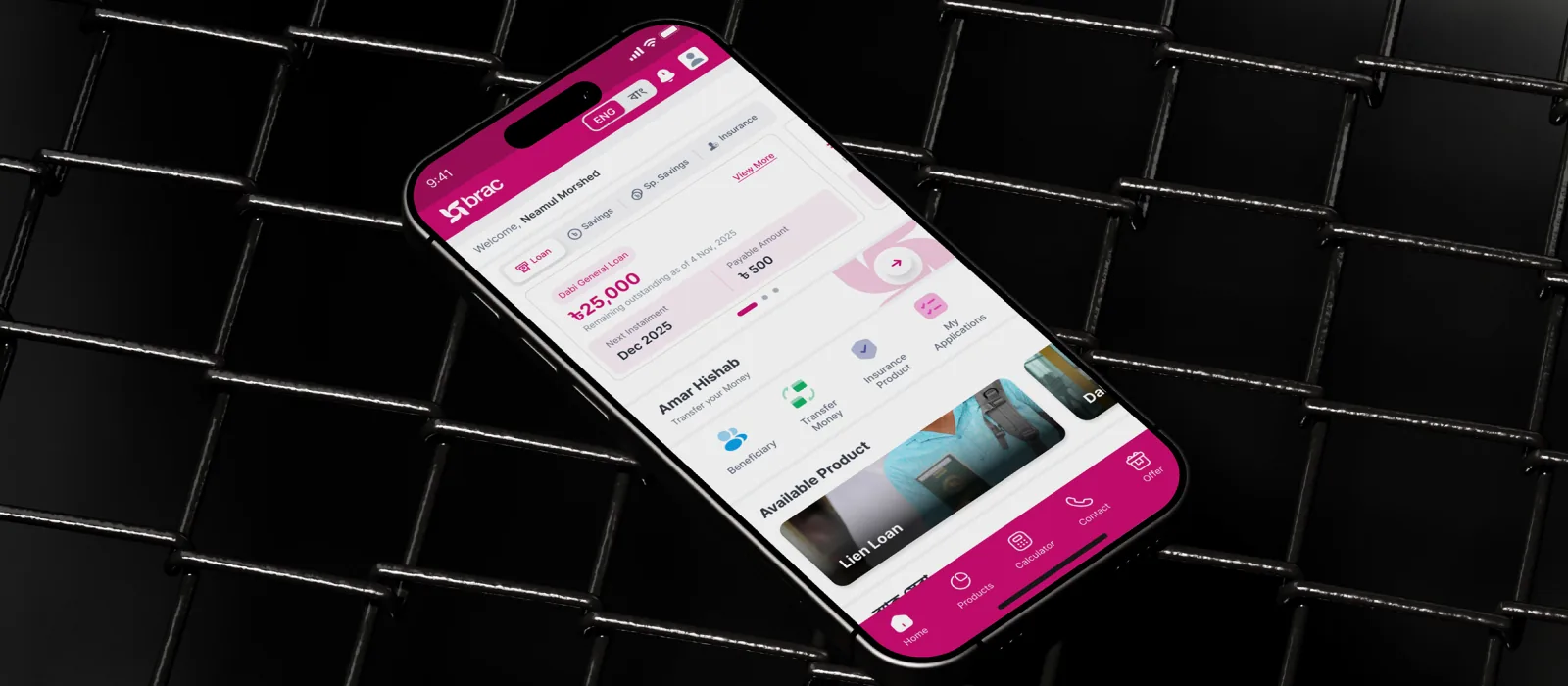
Scaled a microfinance platform serving rural field officers and borrowers — redesigning core flows across Survey, Guidance, Digital Passbook, QR Code, and Instant DPS to reduce training time and increase daily active usage across a low-digital-literacy user base.
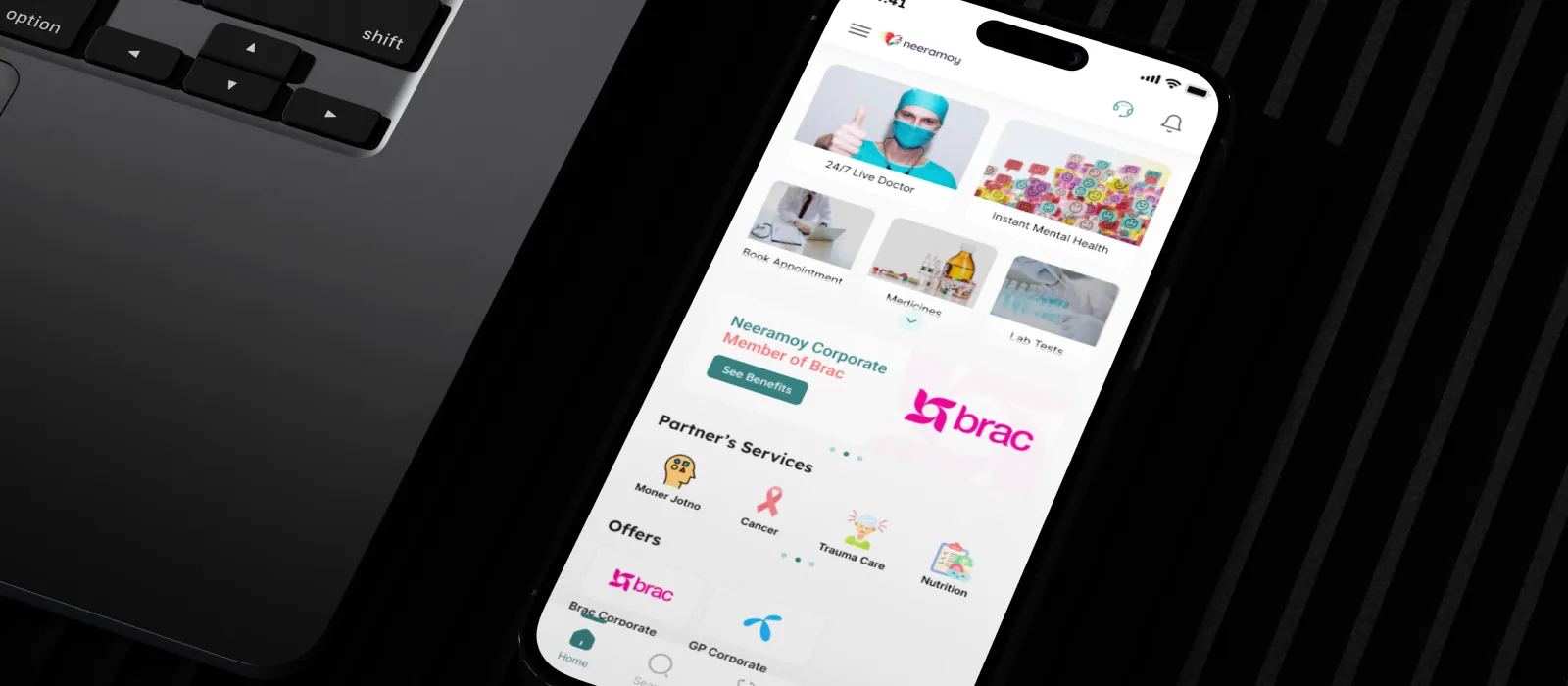
Designed an end-to-end healthcare experience — connecting patients with specialists through booking, teleconsultation, and prescription management in a single unified flow.
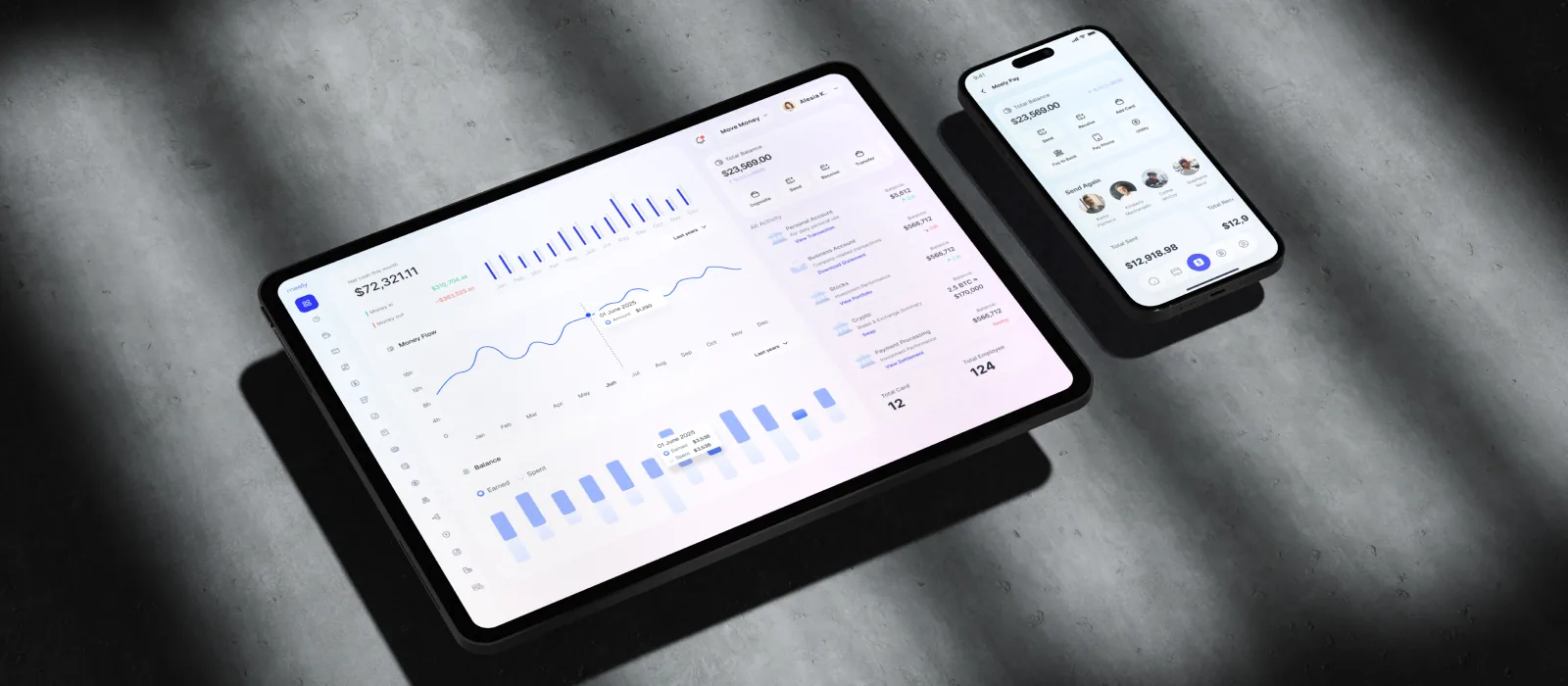
Designed the full product and investor pitch materials for a fintech startup — translating complex financial flows into a consumer-friendly interface built for fundraising.
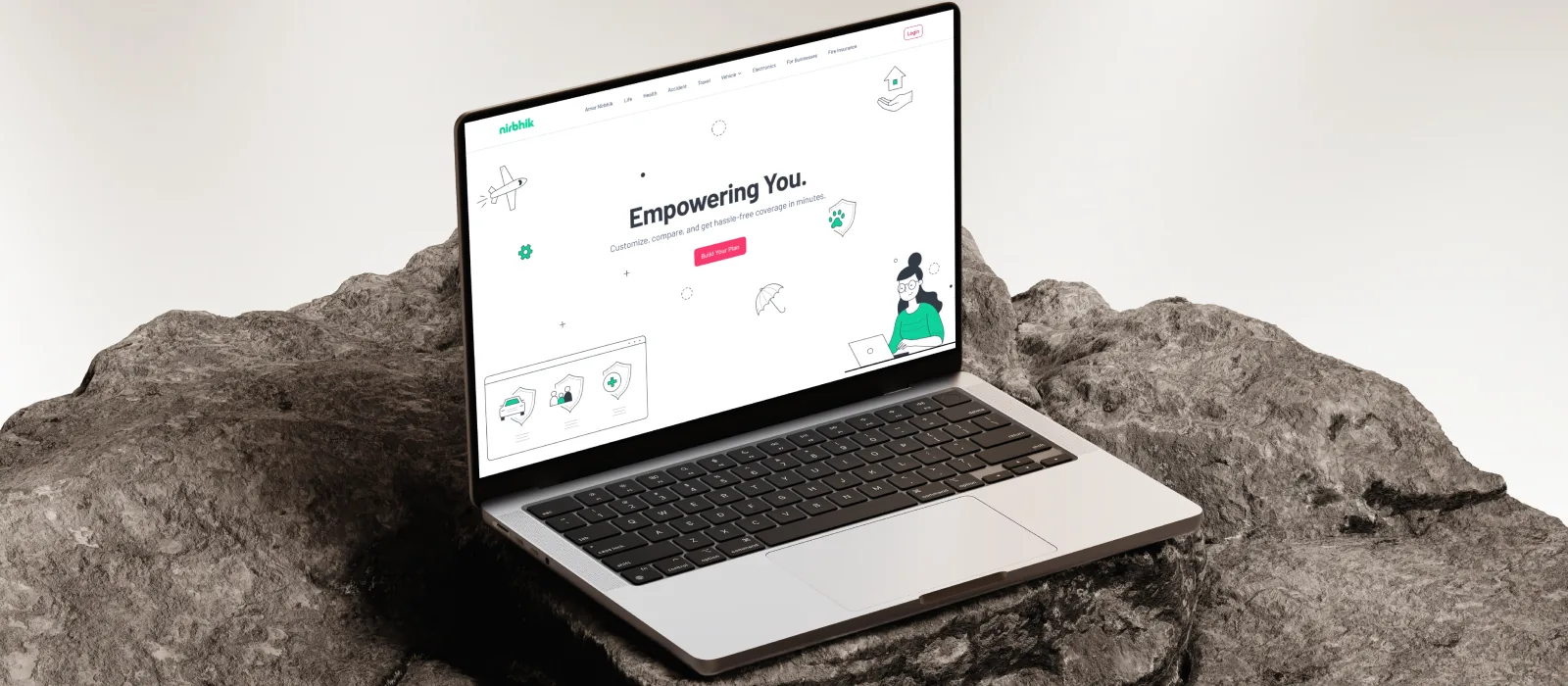
Bangladesh's first insurance marketplace — a B2B2C platform to discover, compare, and buy policies across Life, Health, Accident, Travel, Vehicle, Electronics, and Fire insurance, in a market where less than 1% of people hold any policy.

images/ams-hero.pngDesigned a performance and availability platform for Bangladesh Cricket Board — centralising athlete readiness, bowling workload, injury management, and squad planning into one shared source of truth.
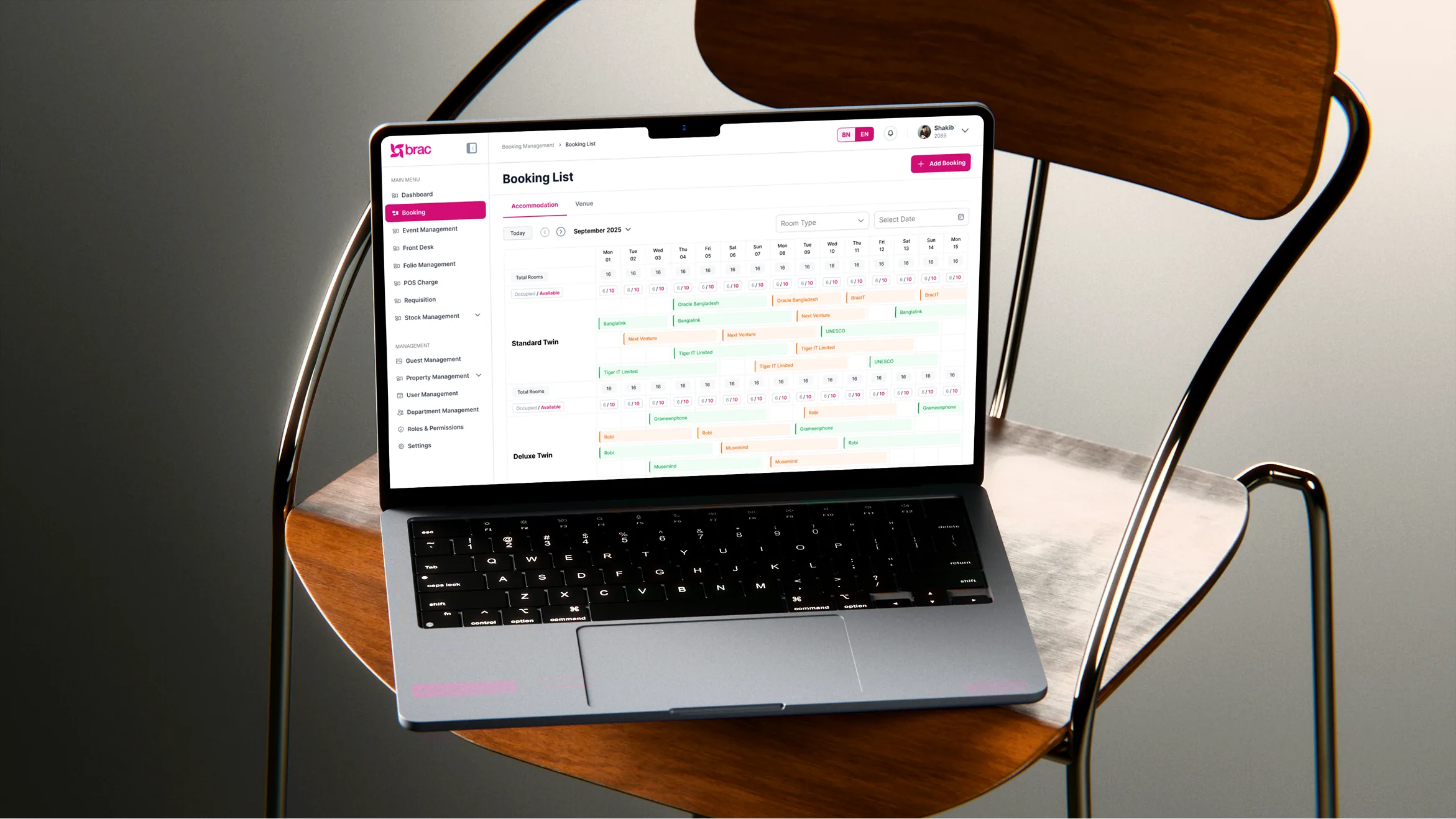
Designed a centralized, role-based hospitality platform replacing manual spreadsheets — enabling BRAC to manage room bookings, corporate events, food services, and facilities across multiple venues without double-booking conflicts.
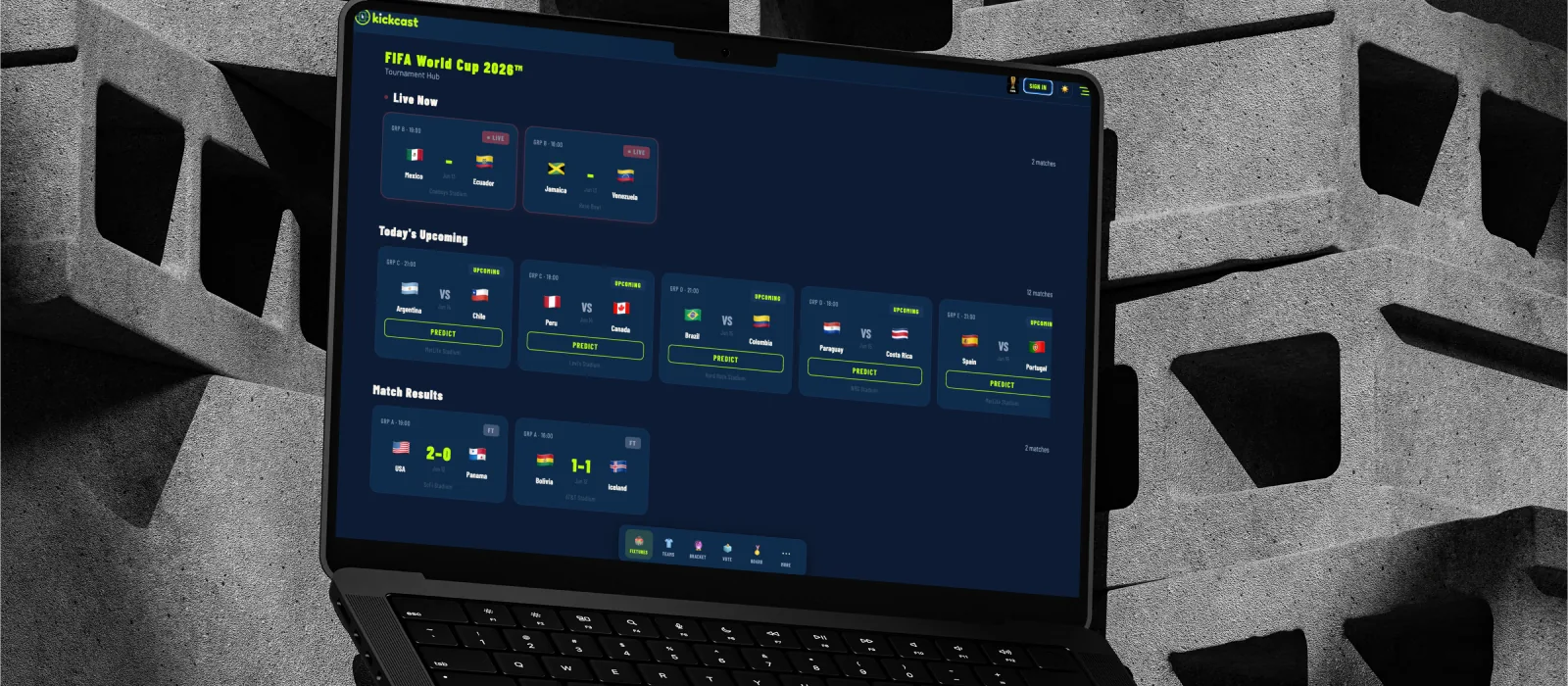
Designed a football companion platform with live scores, match predictions, and fixture tracking — blending real-time data with a clean, content-first layout.

images/phraseq-hero.pngDesigned and built an AI-native vocabulary app that teaches words through contextual usage, not definitions — featuring profession-aware sentence generation, an IELTS Band 5/7/9 rewrite engine, and a BYOK free tier model validated as a low-cost AI product launch pattern.
Scaling a Microfinance Dashboard into a 1.2M User Fintech Platform
A view-only financial dashboard transformed into a transactional fintech platform with digital onboarding, system-safe transaction logic, and ecosystem integration for BRAC Microfinance users across Bangladesh.
| Industry / domain | Microfinance, Fintech |
| Organization type | Enterprise financial platform for BRAC Microfinance |
| Timeline | 2022 – 2024 |
| Team | Product Manager, Project Manager, Engineers, Sales, Operations, Finance & Admin stakeholders |
| Platform | Mobile app — iOS & Android |
| My Role | UX Lead — Requirement Analysis, User Research, IA & User Flow Define, User Experience Design |
02 — Problem
Users could see their finances.
They just could not act on them.
Before the transformation, Agami was mainly a dashboard for existing BRAC Microfinance clients. The product had value, but limited utility and limited growth potential.
Users could read balance data, but could not transfer, pay, or complete financial actions.
Most meaningful journeys still required physical branch visits.
Prospective users had no useful way to explore products digitally.
The app was helpful, but not essential for daily financial behavior.
Growth depended heavily on offline processes and branch teams.
Users could read balance data, but could not transfer, pay, or complete financial actions.
Most meaningful journeys still required physical branch visits.
Prospective users had no useful way to explore products digitally.
The app was helpful, but not essential for daily financial behavior.
Growth depended heavily on offline processes and branch teams.
03 — Strategy
I approached Agami as a platform transformation, not a screen refresh. The work focused on three connected pillars: transactions, acquisition, and evidence-based iteration.
Transaction Layer
Acquisition Layer
Iteration Layer
| Challenge | What I Found | What I Designed |
|---|---|---|
| Passive dashboard | Users could see loan and savings info, but could not take action. | Amar Hishab with transfers, real-time balance, and transaction history. |
| No digital onboarding | Non-clients had to visit a branch to start. | Open exploration and digital membership request flow. |
| ERP complexity | Business dates could differ from user calendar dates. | Date mismatch safeguards before confirmation. |
| High trust requirement | Financial errors would damage confidence. | Error-first transaction states and recovery flows. |
04 — Design decisions
These were the hardest calls, where UX had to meet financial risk, system logic, and product growth.
Transaction Layer
Improving the dashboard would not change user behavior deeply. Amar Hishab created daily utility through transfers, real-time balance, and transaction history.
Business Date Logic
Users should interact with familiar calendar dates. The system detects ERP mismatches and warns users before confirmation.
Error States
In a financial product, failed transfers, insufficient balance, timeout, and duplicate transfer are core UX paths, not edge cases.
Non-Client Access
For acquisition, product exploration must happen before registration. Non-clients can understand value before commitment.
05 — Collaboration
The project required alignment across engineering, product, finance, and leadership. Cross-team coordination on ERP logic and business-date reconciliation was central to the work.
06 — Solution
The complete solution connected three feature areas into one platform: transaction capability, digital acquisition, and research-backed product iteration.
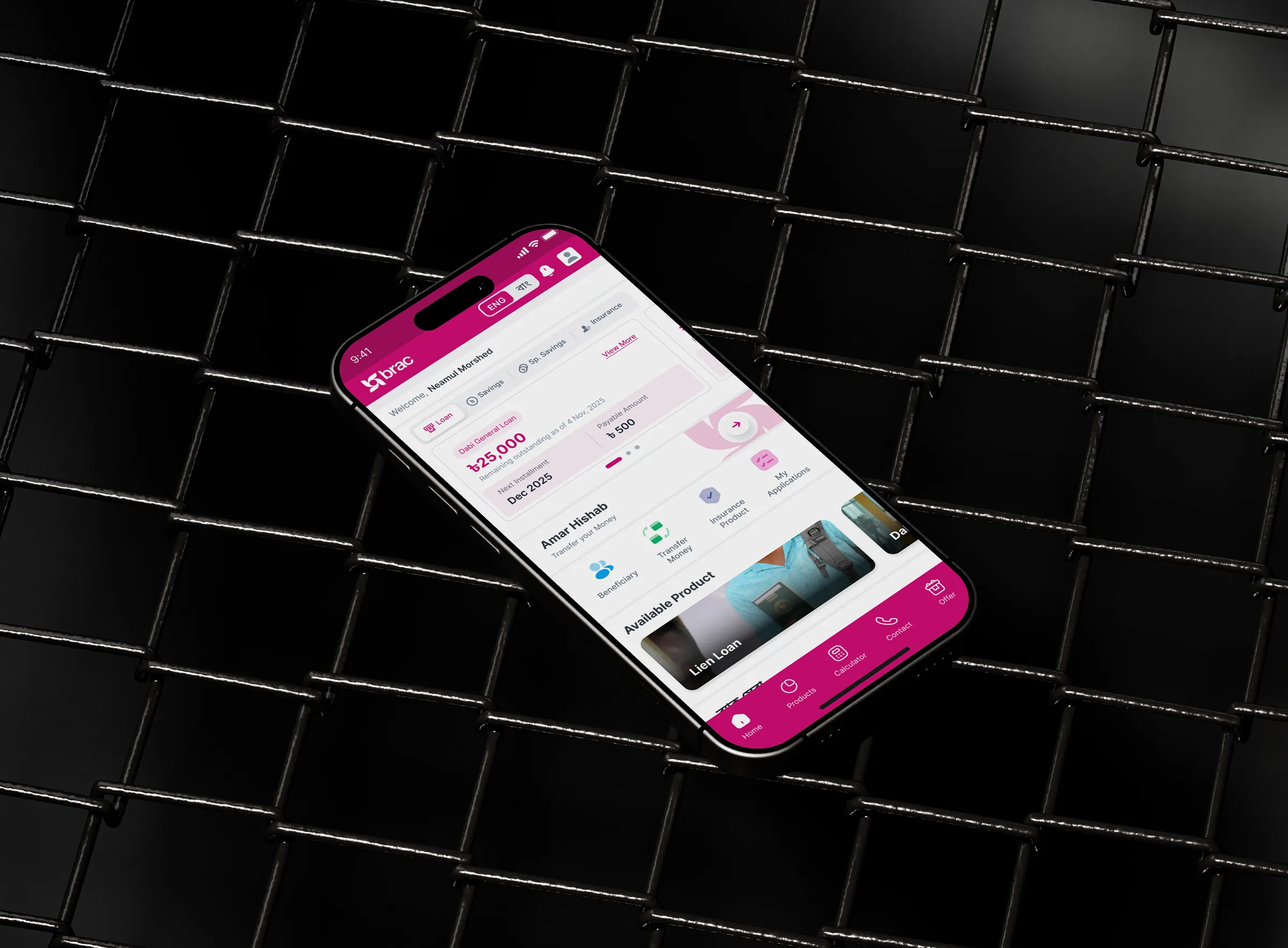
07 — Deep dive · Transfers
Amar Hishab changed Agami from a passive dashboard into an active financial tool. The user just wanted to send money; the system had to make sure every dependency agreed.
| Design Decision | Why it mattered |
|---|---|
| Show user date, not ERP date | Users understand calendar dates; backend business-date logic is only shown when risk appears. |
| Errors before submission | Insufficient balance, timeout, duplicate transfer, and mismatch are prevented before confirmation. |
| Real-time history | Immediate transaction visibility builds trust after action. |

images/agami-transfer-flow.png08 — Deep dive · Acquisition
The Non-Client Section turned Agami from a servicing app into a digital acquisition channel for prospective BRAC Microfinance members.
Before this feature, a prospective user had to physically visit a branch to begin a BRAC Microfinance relationship. After the redesign, users could explore products and submit a membership request from anywhere in Bangladesh.

images/agami-non-client.png09 — System logic
The PRD was a design artifact. Writing system logic was part of the UX job because backend constraints directly affected user trust.
| Error Type | Trigger | UX Response |
|---|---|---|
| Insufficient balance | Balance lower than transfer amount | Block transfer and explain available balance. |
| Date mismatch | ERP business date differs from user date | Warning modal before confirmation. |
| ERP timeout | API response delay | Retry option and fallback message. |

images/agami-date-mismatch.png
images/agami-error-states.png10 — Impact & lessons
Rather than measuring the work as a UI refresh, Agami was evaluated by adoption, engagement, transaction readiness, and acquisition expansion.
Each metric indexed to its own starting point (1×). Daily active users grew faster than the user base itself.
| Metric | Before | After |
|---|---|---|
| Users | 300K | 1.2M |
| DAU | 5K | 38K |
| MAU | 40K | 180K |
Mapping user journeys, ERP dependencies, and transaction rules made every interface decision faster and safer.
In fintech and microfinance, users judge whether the system protects their money, not only whether the screen looks clean.
ERP business-date mismatch looked technical, but it directly affected confidence, clarity, and error prevention.
The Non-Client Section proved that product discovery can become part of conversion before formal onboarding.
Note: Metrics based on operational observations and workflow analysis during system implementation.
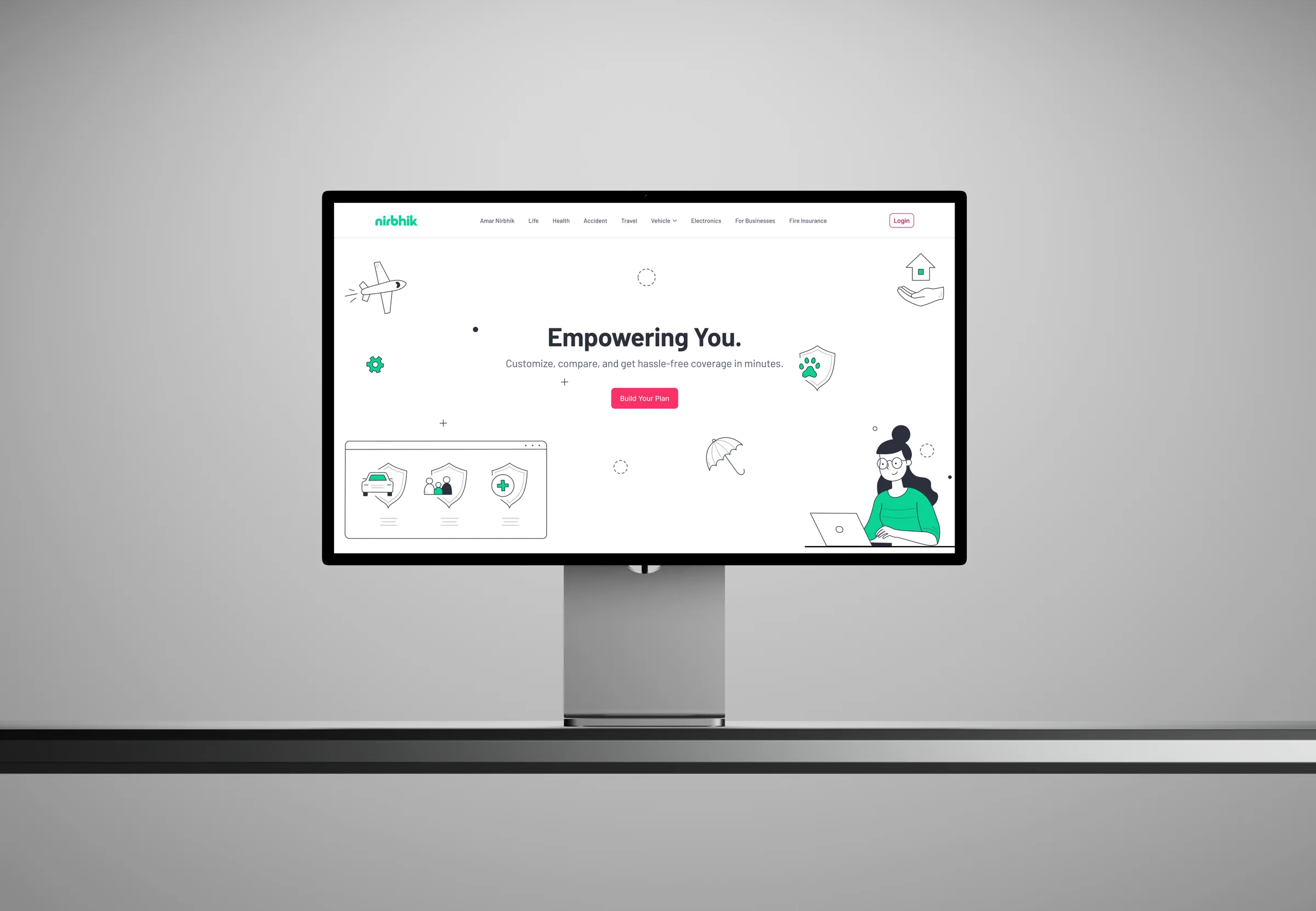
Nirbhik is Bangladesh's first insurance marketplace — a B2B2C platform where users can discover, compare, and purchase policies across Life, Health, Accident, Travel, Vehicle, Electronics, and Fire insurance from multiple providers in a single unified experience.
The brief was straightforward but the stakes weren't: make insurance feel approachable. For a market where less than 1% of people hold any policy, the design had to do more than look good — it had to dismantle the psychological barrier to the first purchase.
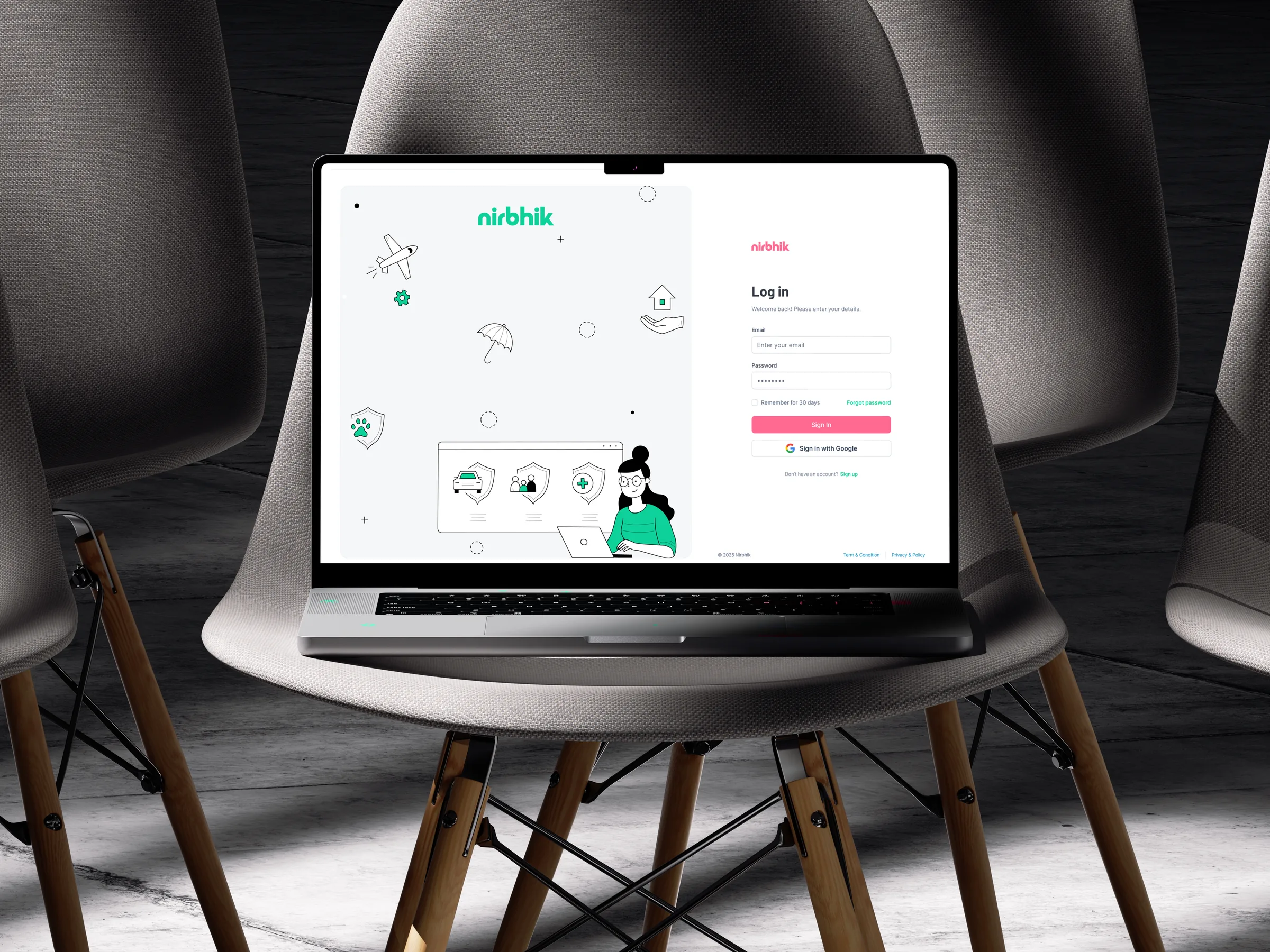
Homepage and onboarding — designed to work on any screen size
Insurance adoption in Bangladesh is limited by low trust, low awareness, complex policy language, and manual sales-led distribution. At the same time, young digital users, business employees, gig workers, and partner-brand customers are increasingly exposed to risk through mobility, travel, electronics, health needs, and work-related activities.
Nirbhik's opportunity sits at the intersection of low insurance adoption, growing digital behavior, business demand for employee protection, insurer need for digital distribution, and the absence of a strong embedded insurance infrastructure layer in Bangladesh.
Born from the question: "How do we make insurance more accessible to young people in Bangladesh?" Nirbhik is a new-age insurtech platform founded in 2025, built for the brave, the bold, and the underserved.
Nirbhik means fearless. The platform exists to make insurance effortless for individuals, businesses, and insurers — simple, seamless, and accessible.
Insurance in Bangladesh is difficult to access, difficult to understand, and difficult to trust. Users often do not know what is covered, how to buy, what documents are needed, or whether claims will be settled fairly.
In Bangladesh vs 4–7% in comparable emerging economies
| User group | Pain points | Design challenge |
|---|---|---|
| Consumers | Complex policy language, agent dependency, low claim trust, unclear exclusions, poor digital self-service. | Make insurance understandable, transparent, and easy to act on. |
| Business admins | Manual onboarding, spreadsheet dependency, unclear employee eligibility, limited claim visibility. | Create a configurable admin workspace for users, products, subsidies, claims, and reports. |
| Group end users | Often unaware of coverage until a crisis happens. | Make coverage visible, accessible, and claim-ready inside a group or partner experience. |
| Insurers | Limited digital distribution and weak claim/policy visibility. | Provide a distribution and operations layer without requiring insurers to build consumer tech. |
| Ops team | Needs to coordinate users, businesses, claims, documents, insurers, and notifications. | Design an exception-handling dashboard that keeps the ecosystem reliable. |
How might we design a digital insurance ecosystem that makes insurance easier to discover, understand, buy, manage, claim, and operate across consumers, businesses, insurers, and internal teams?
Paper forms, agents, and opaque jargon — users abandon before completing purchase.
Claims are perceived as near-impossible to settle. The industry has a deep trust problem.
Insurance is never offered when risk is created — at bike purchase, travel booking, business launch.
Gig workers, small businesses, rural users, and young adults have no tailored affordable options.
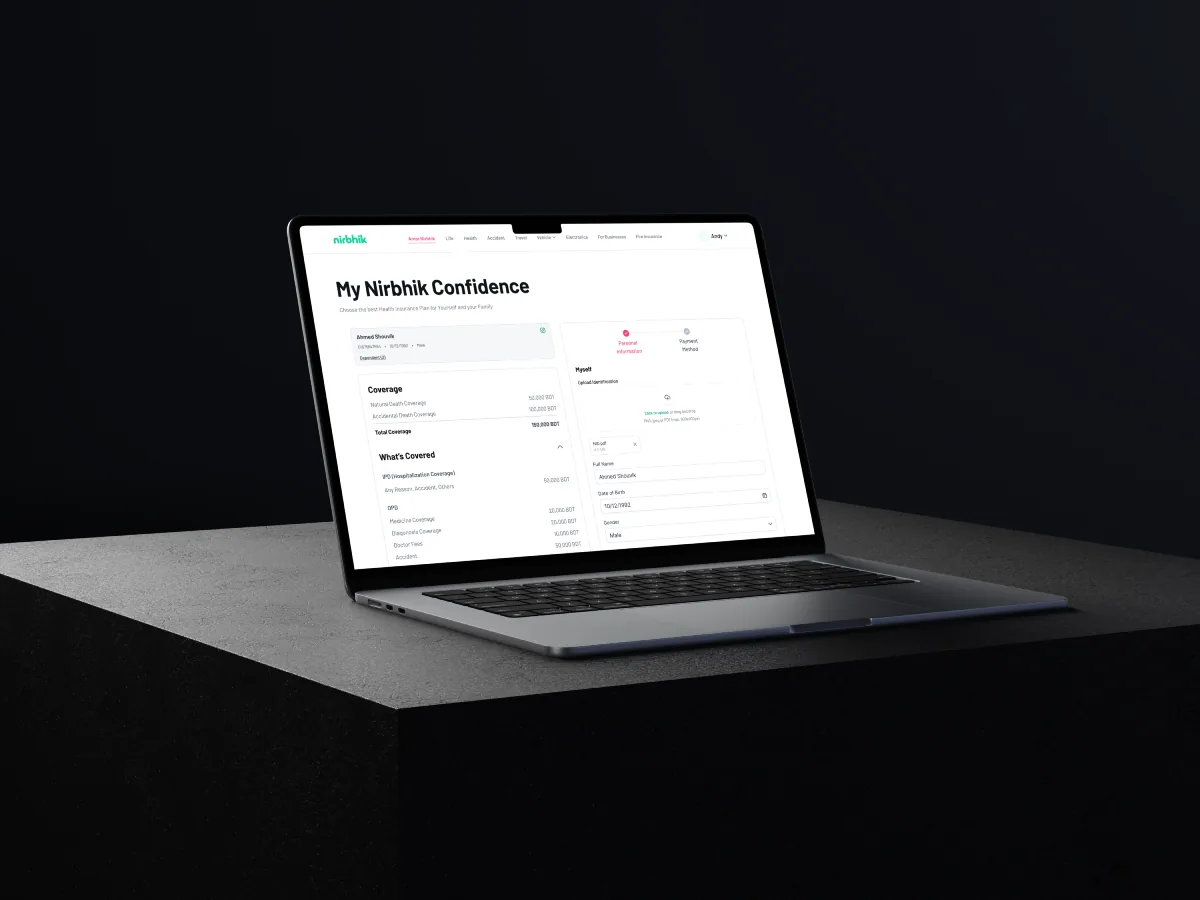
If insurance is surfaced at the exact moment of risk creation — buying a bike, traveling, launching a business — conversion increases, trust builds naturally, and coverage becomes a product feature, not a separate admin task.
| Feature | Nirbhik | Milvik BD | Bimafy | PolicyBazaar | Lemonade | Oscar |
|---|---|---|---|---|---|---|
| Embedded ins | Yes (core) | No | Partial | No | No | No |
| B2B portal | Yes | No | No | SME Only | No | Yes |
| AI agent | Planned | No | No | Partial | Yes (Maya) | Chat |
| Claims UX | Guided | Hotline | Basic | Guided | Instant | Guided |
| BD market | Yes | Yes | Yes | India | US/EU | US |
| Insurer dash | Yes | No | No | No | No | No |
Telco distribution, simple subscriptions
No embedded, no B2B, no self-serve claims
Broadest BD product range, bike flow
No enterprise portal, weak claims UX
Best comparison UX in South Asia
Aggregation only, no integration layer
AI-first UX, instant claims (seconds)
US/EU only, no BD regulatory fit
B2B broker portal reference model
Health only, US market, no BD relevance
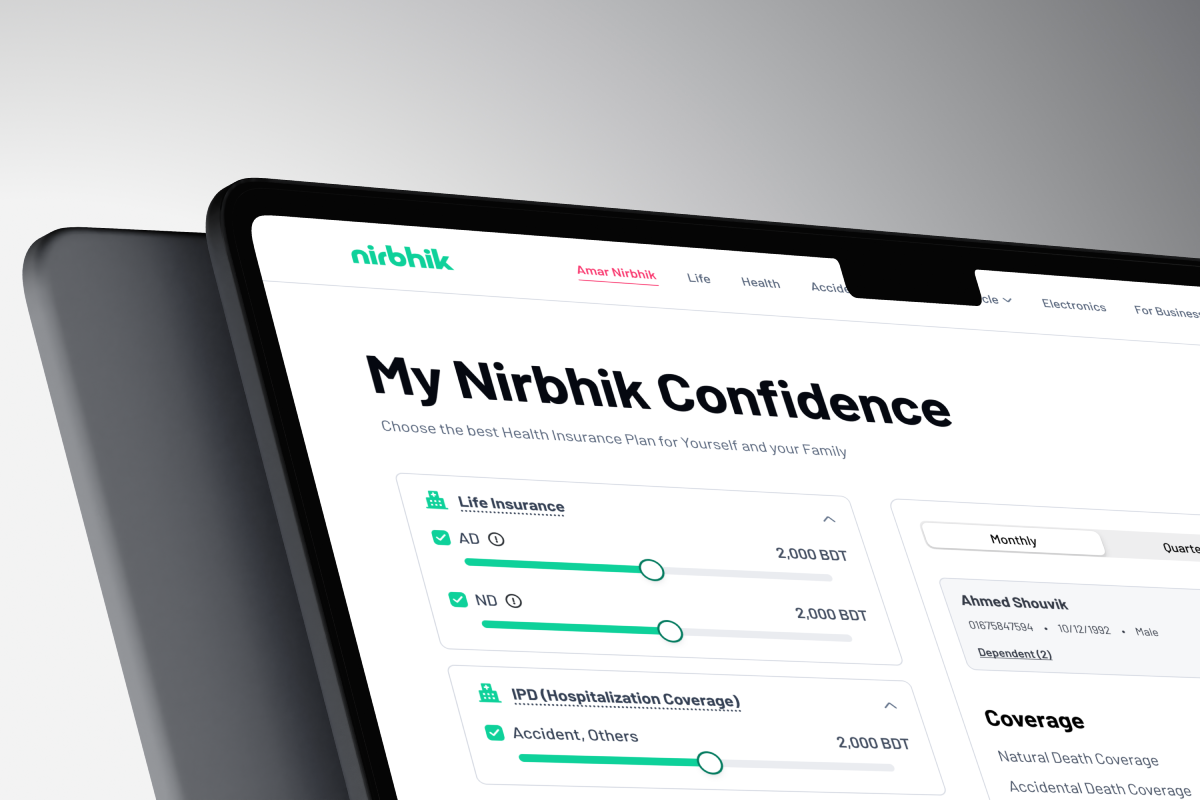
My Nirbhik Confidence — coverage planning tool with interactive sliders
Most insurance platforms sell policies as a separate product. Nirbhik's strategy was different: make insurance appear at the exact moment of relevance.
| Moment of risk | User need | Nirbhik opportunity |
|---|---|---|
| Buying a motorbike | Protect the ride and rider without extra paperwork. | Embedded motorbike insurance through partner brand journeys such as Suzuki. |
| Traveling | Get coverage based on destination and dates. | Fast travel insurance flow with traveller details, trip dates, passport/ID, and claim guidance. |
| Joining a company program | Receive passive coverage as an employee or group member. | Business portal assigns policies and manages eligibility. |
| Buying electronics | Protect new devices at the time of purchase. | Electronics coverage surfaced as a product add-on. |
| Managing workforce benefits | Offer insurance without manual tracking. | Enterprise dashboard for employees, products, claims, analytics, and billing. |
The product direction was shaped through stakeholder inputs, competitor benchmarking, journey mapping, MVP scoping, and early Figma screens. The goal was to move beyond isolated screens and define the system logic behind a multi-sided insurance platform.
| Input | Purpose |
|---|---|
| Stakeholder product deck | Understand brand story, coverage categories, embedded model, policy proposals, customer journeys, and claim process. |
| Competitive audit | Benchmark local and global insurtech references such as Milvik BD, Bimafy, PolicyBazaar, Lemonade, and Oscar. |
| User journey mapping | Define enrollment and claim journeys by insurance type and subcategory. |
| MVP user stories | Scope business admin, end user, ops, claims, notification, payment, support, and reporting capabilities. |
| Existing Figma screens | Validate assumptions through homepage, plan detail, comparison, Suzuki embedded, and dashboard screens. |
Local players had insurance products, but limited digital experience. Global players had strong digital UX, but were not designed for Bangladesh's trust, regulation, payment, language, and distribution realities.
No single Bangladesh-focused player combined consumer marketplace, embedded insurance, B2B partner portal, guided claims, and insurer-side dashboard into one cohesive ecosystem.
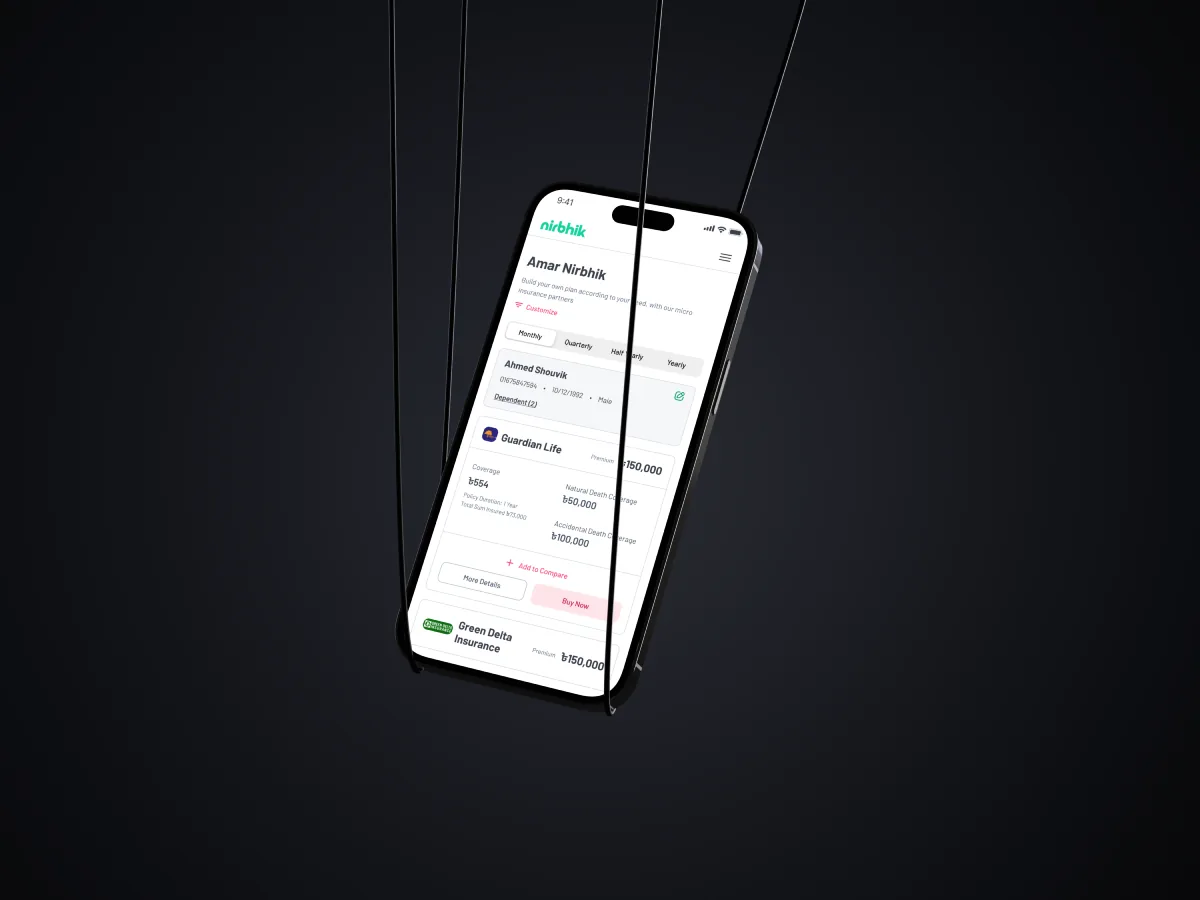
Amar Nirbhik — personal dashboard showing active policies from multiple insurers
The system centers on Nirbhik as a platform layer that connects product catalogues, policy rules, claims workflows, partner APIs, payments, reporting, and notifications.
| Platform layer | Connected users | Key capabilities |
|---|---|---|
| nirbhik.io | Individual consumers | Category browse, plan listing, plan detail, comparison, enrollment, checkout, my policies, claims, profile/KYC. |
| enterprise.nirbhik.io | Businesses and partner brands | Dashboard, employee/user management, product assignment, subsidy rules, claims monitoring, analytics, billing, commission tracking. |
| insurer.nirbhik.io | Insurance companies | Product and policy management, policyholder lookup, claim review, settlement updates, distribution analytics. |
| ops.nirbhik.io | Internal Nirbhik team | User/business management, claim triage, vendor management, alerts, support tickets, audit logs, KPI reports. |
The platform had to support both very simple and very complex journeys. Embedded Suzuki insurance may require almost no user action, while family health insurance may require multiple family members, nominees, declarations, billing, and document collection. A modular architecture allows the same product system to support both extremes.
The breakthrough insight came from a question users kept asking during research sessions: "Am I covered enough?" Not "What does this policy cover?" — but a more fundamental anxiety about adequacy.
This led to the Nirbhik Confidence framework — a coverage health score built around four life dimensions: Life insurance, Health (HO), Hospitalisation Coverage (IPD), and Accident protection. Sliders let users set their coverage targets; the system shows them their protection gap and what it would cost to close it.
The IA was restructured around this insight. Rather than leading with product categories (the insurer's mental model), we led with the user's situation — and surfaced categories as the answer to a coverage need, not as the starting point.
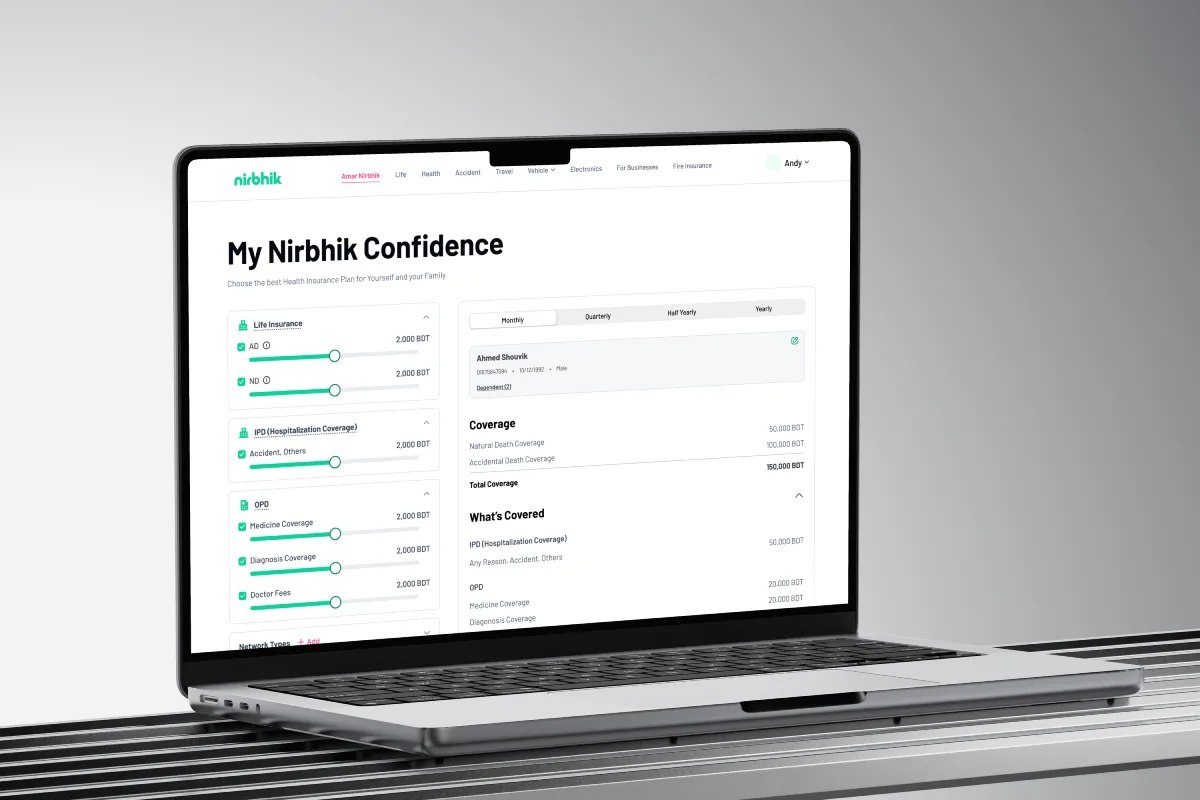
Desktop view showing full coverage dashboard with real insurer quotes
Users understand risk through situations like buying a bike, traveling, or protecting a family more easily than through insurance terminology.
Partner journeys should not feel interrupted; protection should feel like a product benefit.
Insurance requires data, but showing all fields at once increases drop-off and anxiety.
Users judge insurance most when they need help, not when they purchase.
Consumers need clarity, business admins need control, insurers need policy and claim visibility, and ops teams need operational command.
Insurance language creates fear.
Use plain explanations, coverage summaries, examples, FAQs, and simple exclusions.
Different categories require different data.
Design modular enrollment with dynamic fields and category-specific steps.
Embedded journeys need brand consistency.
Keep partner branding dominant and position Nirbhik as the invisible protection layer.
Businesses need flexible rules.
Support configurable product access, subsidies, bulk upload, and reporting.
Claims require coordination across users, ops, and insurers.
Create guided claim workflows with checklists, notes, escalation, and status tracking.
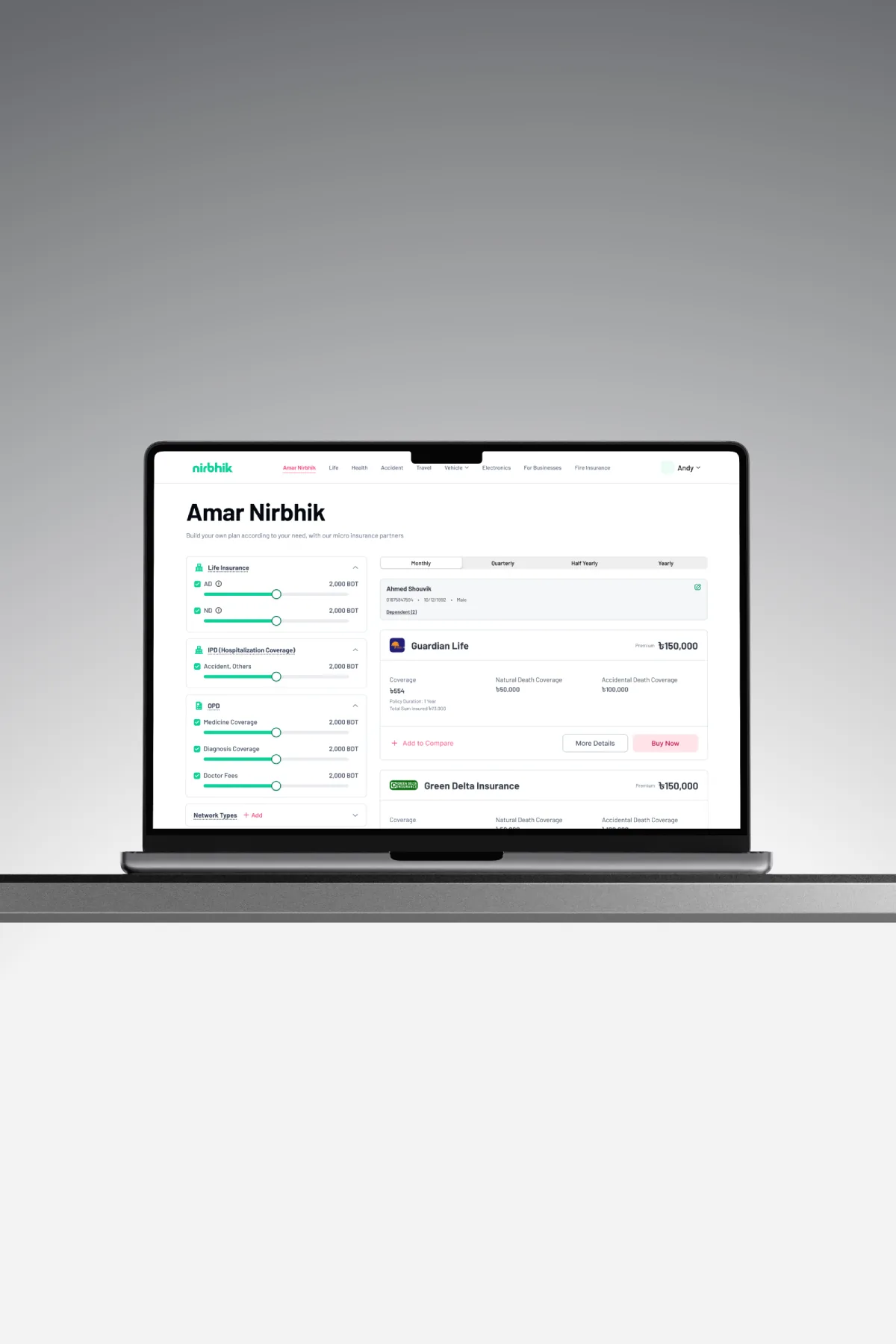
Because Nirbhik is an early-stage product, the strongest outcome is not only visual design. The value is in the system foundation: a scalable structure that can support marketplace journeys, embedded insurance, B2B partner programs, insurer distribution, and internal operations.
| Outcome type | Result |
|---|---|
| Product outcomes | Defined multi-portal architecture, embedded insurance logic, MVP user stories, Suzuki partnership flow, and scalable IA. |
| UX outcomes | Reduced complexity through progressive disclosure, coverage-first presentation, visible claim process, and portal-specific workflows. |
| Business outcomes | Positioned Nirbhik beyond a product catalogue as a B2B2C insurance infrastructure layer for businesses and insurers. |
| Future opportunities | AI insurance guidance, Bangla language UI, AI-assisted document review, and claim automation. |
Nirbhik taught me that designing insurance for an underserved market is not only about making forms easier. It is about designing for trust. Users need to know what they are buying, why it matters, what is covered, what is not covered, what happens during a claim, and who will help them when something goes wrong.
Nirbhik is not just an insurance marketplace. It is a trust infrastructure layer for digital insurance in Bangladesh.
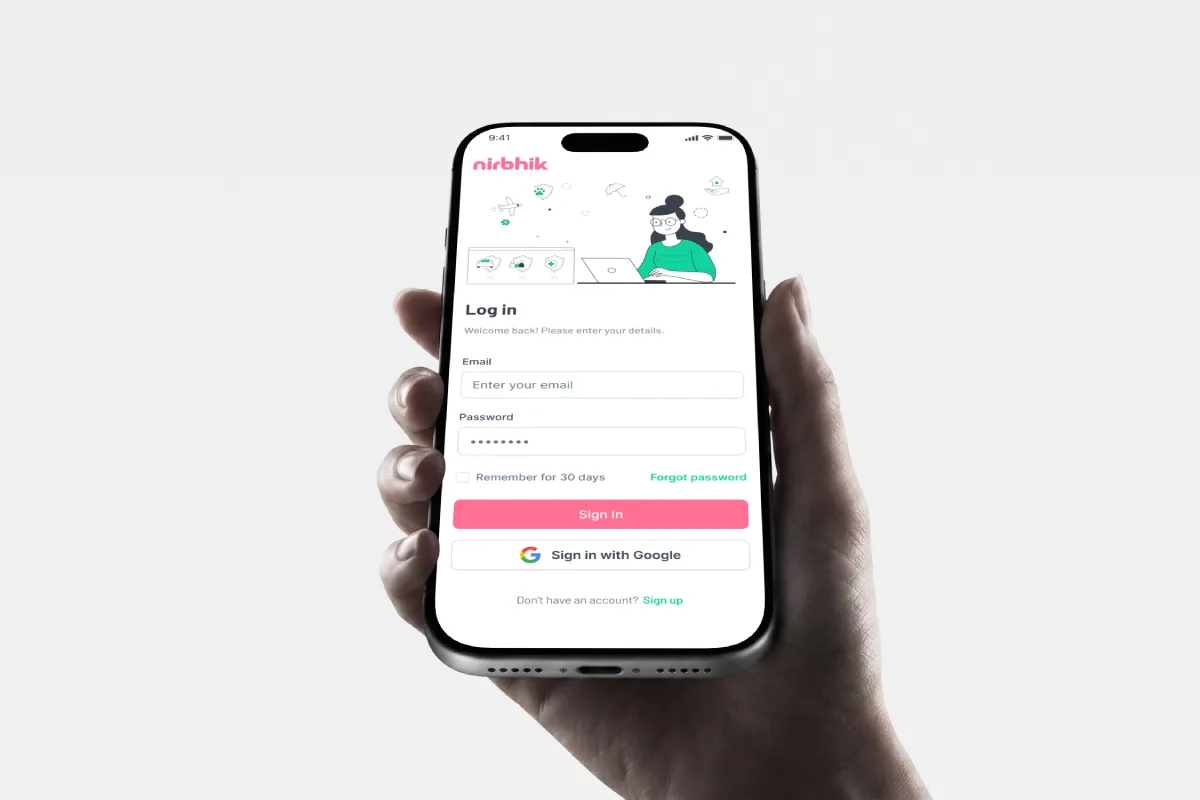
Final product — mobile across light and dark environments
A FIFA World Cup 2026 companion app turning passive score-checkers into invested fans
Built around fixtures, prediction, and social proof — designed and shipped end-to-end across concept, architecture, visual language, interaction design, and production deployment.
| Industry / domain | Sports, Fan engagement |
| Platform | Web App — Next.js · Supabase · Vercel |
| Timeline | 2026 · Tournament cycle |
| My role | Lead UX Designer + Developer — Research, IA, Visual system, Production build, Deployment |
| Status | Live on Vercel |
02 — Problem
The 2022 edition had 32 teams and 64 matches. The 2026 edition has 48 teams and 104 matches — spread across three host nations and 16 venues. Yet the tools fans reach for weren't redesigned for this complexity.
The deeper problem isn't just information access. It's engagement architecture. Most football apps treat fans as passive consumers of data. There's no prediction mechanic, no social proof, no way to build a personal narrative through the tournament. Fans check a score, close the app, and lose the thread.
The core tension: more matches = more data = more cognitive overhead — yet the available tools were designed for 32-team simplicity. The gap between tournament size and tool quality was the design opportunity.
03 — Research · Audiences
Three archetypes mapped from community patterns and direct observation — each with a distinct relationship to tournament data.
Watches 2–3 big matches. Checks scores after the fact. Uses WhatsApp groups to discuss results. Wants fast, frictionless access.
Watches most matches. Tracks group tables obsessively. Has opinions on every team's chances. Wants prediction history and bracket state.
Neutral or multi-team fan. Excited by the 48-team expansion. Wants to know about unfamiliar nations before watching their matches.
A common design trap: designing for the Analyst and under-serving the casual fan. I made the deliberate choice to lead with the Follower experience (fast fixtures view on launch) while building depth for the Analyst and Explorer as secondary tabs — each complete on its own, never interrupting the others.
04 — Solution
Six feature modules, each scoped tightly so the app never becomes a dashboard that does everything and nothing well.
| Module | Core job | Primary user | Key UX decision | Type |
|---|---|---|---|---|
| Fixtures | Live Now · Upcoming · Match Results with real data, stadium names, kick-off times, goal scorers modal | The Follower | Three-section hierarchy lets users scan tournament state in one scroll — no filtering needed | Core |
| Vote & Predict | Match of the Day poll, score predictions per match with EDIT flow, full prediction history with CORRECT / WRONG badges and points | The Analyst | History shown in-app with real result comparison — fans can audit accuracy across the full tournament | Engagement |
| Teams | Groups / Teams toggle — Groups view: 12 expandable tables; Teams view: 48 nations by FIFA ranking with search | Explorer + Follower | Two-mode toggle keeps group context and team discovery in the same tab — no split navigation | Core |
| Bracket | R32→R16→QF→SF→Final tree + list toggle, Share and Reset, champion prediction at bottom | The Analyst | Tree / List toggle serves two mental models — spatial and sequential — without forcing one layout | Engagement |
| Board | Live leaderboard: +1 correct result, +3 exact score. Accuracy %, podium display, real user data | The Analyst | Scoring system visible at top — transparency about points earned increases prediction engagement | Social |
| More | Tournament stats: player scorer tables, Goals / Cards tabs — statistical depth beyond match level | Analyst + Explorer | Overflow tab prevents stats from bloating main nav — accessible to power users without cognitive overhead for casuals | Core |

images/kickcast-fixtures.png
images/kickcast-predict.png
images/kickcast-bracket.png05 — Design decisions
Each decision is explained through the tradeoff it resolved, what was designed, and what it produced.

images/kickcast-nav-modal.png06 — Architecture
The stack was chosen so Phase 1 (static/in-memory) and Phase 2 (real-time/database) share the same component architecture — zero migration cost when going live.
Phase 1 — Portfolio build
Runs on static data: all 48 squad rosters, group fixtures, and match results bundled directly into the app. State managed in-memory — no database dependency, no auth. Fast to prototype, safe to deploy without API costs.
Phase 2 — Live production
API-Football polls server-side at 60–90s intervals → Node.js crawler on Railway → Supabase. Supabase Auth enables a real leaderboard with prediction accuracy tracked across the tournament. The frontend never calls the sports API directly, protecting rate limits and keeping client code clean.

images/kickcast-architecture.png07 — Outcome
Measured by completeness, design quality, and the standards it set for a portfolio-level build.
The most concrete signal of success: 20+ real users showed up on the leaderboard without any marketing push. They predicted match scores, tracked accuracy, and competed across the tournament. The engagement hypothesis validated in production — fans want a stake in the outcome, not just a score feed.
This project also proves I can own both design and code at a lead level: the chained bracket system, the Match Details modal, the real-time data pipeline via API-Football → Railway → Supabase — every architectural decision was a UX decision made visible through the build.
08 — Reflection
"The World Cup is the most-watched event on the planet. The design question isn't how do we show match data — it's how do we make someone feel the electricity of 104 matches, 48 nations, and a billion simultaneous opinions, every time they open their phone. KickCast taught me that the most effective sports products aren't dashboards. They're companions."
The biggest gap left is a notification layer. The data pipeline is already fully automated — but there's no push or email trigger telling users a match they predicted is about to kick off. That's the feature most likely to drive return visits, and the Supabase auth + preferences table is already in place to support it.
I'd also add social proof to predictions — letting users see what percentage of KickCast fans predicted the same scoreline, not just who won the poll. That kind of social proof creates conversation, and conversation is what keeps a sports app alive between matches.
Designing a scalable Hospitality Management System for BRAC — room bookings, corporate events, food services, and facilities across multiple venues
The platform replaces fragmented manual coordination with a real-time, system-governed workflow. It standardizes booking states, provides live availability visibility, and reduces operational conflicts across teams. By aligning sales, front desk, operations, and finance in one structured ecosystem, the system improves decision speed and strengthens operational control.
| Industry / domain | Hospitality |
| Organization type | Enterprise platform for internal hospitality operations |
| Timeline | 9 Months |
| Team | Product Manager, Project Manager, Engineers, Sales, Operations, Finance & Admin stakeholders from two hospitality venues |
| Platform | Web (Admin + Sales Panel) |
| My Role | UX Lead — Requirement Analysis, User Research, IA & User Flow Define, User Experience Design |
02 — Impact
Rather than focusing on features, the success of HMS was measured through operational stabilization, risk reduction, and cross-functional alignment. The following outcomes reflect structural improvements observed after centralizing booking, availability, and billing workflows into a governed system.
Note: Metrics are stakeholder-reported workflow observations from the 8-week rollout period. Directional signal, not instrumented analytics.
03 — Problem
The system was a spreadsheet.
A very large one.
BRAC's venues managed all bookings across disconnected spreadsheets, phone calls, and WhatsApp threads, creating a fragile, error-prone operation at scale.
BRAC's venues managed all bookings across disconnected spreadsheets, phone calls, and WhatsApp threads, creating a fragile, error-prone operation at scale.
No locking mechanism. The same room appeared available to two sales reps simultaneously with no system guardrail.
Sales confirmed without operational validation. Operations found out at check-in, sometimes hours before guests arrived.
Adding a third venue would have required hiring a full-time coordinator just to manage the spreadsheet.
BRAC's venues managed all bookings across disconnected spreadsheets, phone calls, and WhatsApp threads, creating a fragile, error-prone operation at scale.
No locking mechanism. The same room appeared available to two sales reps simultaneously with no system guardrail.
Sales confirmed without operational validation. Operations found out at check-in, sometimes hours before guests arrived.
Adding a third venue would have required hiring a full-time coordinator just to manage the spreadsheet.
04 — Process
Rather than jumping to screens, I started by mapping how bookings actually flowed across four teams and precisely where that flow broke down.
| Challenge | What I Found | What I Designed |
|---|---|---|
| Fragmented Booking Process | Bookings lived in 4+ places in spreadsheets, phone notes, email, and WhatsApp. No single owner. | Centralized system with one source of truth. All state changes tracked with timestamps and attribution. |
| No Real-Time Availability Visibility | Sales had to call operations to check rooms then two more calls for food and facilities. | Live availability calendar across all venues, filterable by room type and date. No calls required. |
| Sales and Operations Misalignment | Sales confirmed unilaterally. Operations found out at check-in, sometimes hours before arrival. | Tentative → Confirmed workflow with shared visibility. Neither team could create conflicts silently. |
| High Risk of Double Booking | No validation, no locks. The same room showed available to two reps simultaneously. | System-level conflict prevention at the data layer. Overlapping bookings architecturally impossible. |
05 — Research · Journey map
Mapped across two user types — New User and Existing User — against six phases of the booking workflow. The emotional curve revealed where friction peaks and where UX opportunities were highest.
Goal
Goal
| Phase | Access Calendar | Check Availability | Create Booking | Enter Booking Details | Save or Confirm Booking | View Booking List |
|---|---|---|---|---|---|---|
| User Goal | See room availability | Find an available room on a specific date | Start a new booking | Provide guest & room info | Decide booking status | Show all bookings in table view with status |
| Doing / Actions | Opens web app and navigates to calendar view | Selects date(s) on calendar | Clicks Create Booking button | Fills guest details and room information | Chooses Tentative or Confirm Booking · Use difference color | Navigates to booking list |
| Touchpoints | Dashboard, Calendar View | Date picker, Room indicators | CTA button | Booking Form | Action buttons | Booking List Page |
| Thinking & Saying | "I need to quickly see which rooms are free." | New: "What do these colors/statuses mean?" Old: "Looks fine." | "Okay, let's book this." | New: "This is a lot to fill in." Old: "Routine task." | "I want flexibility" or "This is final." | "Did it save correctly?" "Is there any differentiator?" |
| Pain points / Feelings | No Calendar view · it maybe feel dense for new users | Status legend may not be clear | CTA might not feel contextual to selected date | Long forms increase cognitive load · Can provide small info | Difference between statuses may be unclear | Hard to find latest booking |
| Emotional Curve | 😐 Neutral | 😕 Confused | 😄 Excited | 😤 Frustrated | 😊 Happy | 😌 Satisfied |
| UX Opportunities | Tooltips or onboarding hint for first-time users | Add clear legends, hover states, filters | Pre-fill selected date into booking form | Save small info · Progressive disclosure, auto-fill for old users | Inline explanation of Tentative vs Confirmed | Highlight recently created booking, filters, Add Status |
06 — Design decisions
These weren't the only decisions but they were the moments where I had to push back, rethink, or take a non-obvious direction.
Sales needed flexibility to hold rooms during negotiation without blocking availability permanently. The two-state model reduced cancellations by giving both parties a shared contract point. Color differentiation (amber vs green) made status scannable at a glance without reading text.
The calendar took 3–5 seconds to reload at scale. Navigating away and back disrupted the scanning workflow. A slide-in panel kept context intact — operations staff could check details without losing their 30-day view.
Stakeholders pushed for separate portals per team. I resisted: siloed portals would recreate the coordination problem digitally. Shared modules with role-based access meant everyone saw the same data with different actions available.
Three months in, finance raised a blocker: corporate bookings needed separate billing for events vs rooms. We had to redesign the folio module mid-stream. The split-folio system eliminated the #1 billing dispute between teams.
07 — Collaboration
An enterprise system with four stakeholder groups means design is as much a facilitation problem as it is a craft problem.
Sales wanted speed — bookings in under 60 seconds. Operations wanted control — no booking confirmed without their review. These goals were in direct conflict for the first three months.
I introduced the Tentative state as a design compromise: sales could move fast, while operations had a structured review window. Neither team got everything — but both got what they needed.
Ran 6 workshops across two venues with sales, front desk, and finance. Used workflow mapping rather than feature lists to surface real pain — not perceived pain.
After each major module, structured review sessions where stakeholders tested flows against real booking scenarios from their own history.
Annotated every screen with interaction states, edge cases, and error conditions. Built a shared component reference with engineering to reduce clarification back-and-forth.
Participated in the first two weeks of staff onboarding, observing real usage and flagging friction points to engineering before they became ingrained habits.
08 — Architecture
HMS was designed as a modular, domain-driven system to replace disconnected and dependency-heavy workflows. Instead of structuring around UI pages, the platform is organized into independent operational modules, each aligned with a core business function.
09 — Wireframes
To transform fragmented workflows into a scalable system, HMS was designed as a modular, role-based platform. Instead of organizing around UI pages, the structure was built around core operational domains — bookings, front desk, services, inventory, guest management, and finance.

images/hms-wireframe-front-desk.png
images/hms-wireframe-booking-calendar.png10 — Solution

images/hms-platform-mockup.png11 — Key screens
Each screen was annotated with interaction states, component purpose, and role-specific visibility — ensuring engineering and stakeholders shared a single reference during build.
A centralized, real-time booking overview that enables sales and operations to manage availability, booking states, and multi-venue coordination with confidence.

images/hms-booking-list.pngA centralized front desk control panel providing instant room status insights, guest context, and turnover coordination across towers.

images/hms-front-desk.pngCentralized billing workspace that consolidates guest charges, payments, and adjustments into a structured, auditable folio system.

images/hms-folio-detail.png12 — Lessons
The most valuable work happened before any wireframe — mapping the booking state machine and the role permission matrix. Getting that right made every screen decision faster and easier.
The Tentative/Confirmed split solved a political problem, not a UX one. Recognizing stakeholder misalignment as the root issue changed how I approached the whole engagement.
The folio redesign cost two weeks. Building modular, domain-isolated screens meant we could redesign one module without cascading changes — a direct result of the upfront architecture decision.
images/ams-hero.pngFrom Fragmented Athlete Records to a Performance Decision Platform
Designing a performance and availability platform for Bangladesh Cricket Board — bringing athlete readiness, bowling workload, injury management, and squad planning into one shared source of truth.
| Role | Lead UX Designer |
| Domain | Sports Technology |
| Platform | Web Dashboard |
| Organisation | Bangladesh Cricket Board |
| Scope | End-to-end product design |
| Users | Coaches, Physios, Trainers, Selectors, Admins |
02 — Impact
The success of the platform is framed around decision quality, operational visibility, injury-risk awareness, and faster coordination between cricket operations teams.
| Impact Area | Before | After |
|---|---|---|
| Player condition visibility | Scattered across reports and people | Centralised player readiness view |
| Bowling workload tracking | Manual updates and hard comparisons | Structured monitoring by player and date |
| Squad availability | Calls and messages between teams | Availability visible before squad creation |
| Physio reporting | Separate injury notes and updates | Player-linked physio history |
| Decision coordination | Teams worked separately | Shared role-based workflow |
03 — Problem
Before the platform, athlete information was distributed across spreadsheets, trainer notes, physio updates, WhatsApp messages, and verbal communication. Each stakeholder had part of the truth — but no single system showed the complete readiness picture.
No single athlete profile connecting player data, injury history, workload, and availability
Bowling workload risk was difficult to monitor consistently
Physio updates were disconnected from training and selection contexts
Squad planning lacked readiness context entirely
Role confusion created unclear ownership across coach, physio, trainer, selector, and admin workflows
04 — Strategy
Instead of designing screens first, I mapped how player decisions actually happen: who checks fitness, who updates injury status, who monitors bowling load, who creates squads, and where decisions break down.
| Challenge | What I Found | What I Designed |
|---|---|---|
| Fragmented player data | Fitness, injury, workload, and availability lived separately | Centralised player profile with readiness indicators |
| Bowling workload risk | Bowlers required special monitoring | Bowling load module with date-wise records and warning states |
| Physio dependency | Medical context was not always visible to coaches and selectors | Physio flow linked to player profile and availability |
| Squad blind spots | Teams could be created without full readiness context | Squad creation with availability and restriction indicators |
| Role complexity | Different users needed different actions | Role-based structure with shared data and controlled permissions |
05 — User journey
Mapped around the most critical workflow: a selector building a squad while relying on inputs from physio, trainer, and coach teams.
| Phase | User Goal | Pain Point | UX Opportunity | Design Response |
|---|---|---|---|---|
| Review player pool | Identify eligible players | Too many players, not enough context | Make readiness visible early | Filter by role, squad, availability, injury status |
| Check condition | Understand fitness and restrictions | Injury and workload data are separate | Combine signals into one profile | Fitness, injury, and workload summary cards |
| Evaluate bowlers | Avoid overload risk | Manual workload comparison is slow | Visualise load trends | Date-wise bowling load chart and risk flag |
| Create squad | Select players | Selection can ignore restrictions | Warn before risky decisions | Availability and restriction indicators in squad builder |
| Confirm squad | Finalise team | Errors found too late | Validate before confirmation | Pre-submit validation and alerts |
| Share decision | Align teams | Follow-up messages required | Shared source of truth | Role-based squad detail with player status |

images/ams-squad-builder.png06 — Design decisions
A simple player database would be faster to build, but it would not support real selection decisions. I designed a readiness model combining fitness status, injury condition, bowling workload, role, squad assignment, and availability — making the platform decision-grade rather than record-grade.
Bowling load could have been buried inside player details. Instead I surfaced it as a standalone module with player-wise load records, date filters, workload summaries, and warning states — making cricket's highest physical-risk area impossible to overlook.
Separate portals would recreate fragmentation digitally. I designed a shared platform with role-based access so every team works from one source of truth — while actions remain controlled, and no role sees data it does not need.
The system needed to catch bad decisions before they were made — not after. I introduced pre-confirmation alerts and acknowledgement patterns that surface injury, restriction, unavailability, or overload before a squad is finalised.
07 — Collaboration
The main challenge was not only designing screens. It was aligning different stakeholder mental models and turning them into one safe operating model.
| Stakeholder | Primary Need | Design Response |
|---|---|---|
| Coaches | Speed and quick player context | Fast player search, readiness cards, squad overview |
| Physios | Accuracy and medical control | Physio-owned injury and recovery updates with restriction flags |
| Trainers | Fitness and physical readiness tracking | Fitness condition updates linked to player profile |
| Selectors | Confidence before selection | Availability and risk indicators inside squad builder |
| Admins | Governance and system control | Role, user, player, and squad management |
| Engineering | Clear logic and handoff | Annotated flows, validation rules, and state definitions |
08 — Solution
Six interconnected modules — each serving a distinct function, all feeding into one shared decision layer.
Central profiles, role, team, playing type, fitness condition, and history
Date-wise workload tracking and bowler-specific overload monitoring
Injury notes, recovery status, treatment updates, and restrictions
Create squads, assign players, review availability, and manage squad status
Admin control over coaches, physios, trainers, selectors, and system users
High-level view of readiness, injury count, workload alerts, and availability

images/ams-dashboard.png09 — Information architecture
The information architecture was designed around user intent, not department structure. Player profile became the centre of the system because every major workflow connects back to the player.
| User intent | Design direction |
|---|---|
| Coaches | Review player readiness, training status, workload, and squad options |
| Physios | Update injury condition, recovery progress, treatment notes, and restrictions |
| Trainers | Track fitness condition and physical readiness |
| Selectors / Team management | Create squads with availability and restriction visibility |
| Admins | Manage players, users, squads, roles, and system data |
Eight top-level destinations. The player profile is the centre of the system — every major workflow connects back to it.

images/ams-sitemap.png10 — Design system
The component system was built around one idea: make player condition immediately readable at a glance. Status should never require interpretation.

images/ams-player-profile.png
images/ams-bowling-load.png11 — Outcome
The final platform helped AMS move from fragmented athlete tracking to a structured system where teams could understand player readiness before taking action.
Centralised player profiles — one view for identity, readiness, workload, injury, and availability
Bowling workload visibility — date-wise tracking with risk flags for overloaded bowlers
Injury and physio history visible to all relevant roles, not siloed in physio notes
Player availability tracking — restrictions visible before squad creation
Squad creation with readiness context — restriction warnings shown before finalisation
Role-based access for coaches, physios, trainers, selectors, and admins
12 — Lessons
The real work was defining readiness logic, role permissions, workload rules, and validation states before touching any UI. The screens became simple once the model was clear.
The right warning at the right moment can prevent a risky decision. Designing for risk visibility — not just data display — made the platform genuinely useful rather than just informative.
Role-based access was not a technical constraint — it was what made the platform safe. Every role needed its own lane while working from the same source of truth.
Databases store information. Decision-support platforms change behaviour. The difference is whether the system helps someone act more confidently — not just look something up.
"The system did not only organise player data. It changed how athlete decisions were made."